
If you’ve ever thought about creating a website, blog, or online store, you’ve probably come across the term “web hosting”. But what does it really mean, and how do you know which type is right for you?
Think of hosting like renting space on the internet for your website. Just like you choose an apartment based on your needs, budget, and lifestyle, choosing the right hosting depends on the size of your site, the amount of traffic you expect, and how much control you want over your website.
In this guide, we’ll break down the main types of hosting, their benefits, and which one might be the perfect fit for your needs.
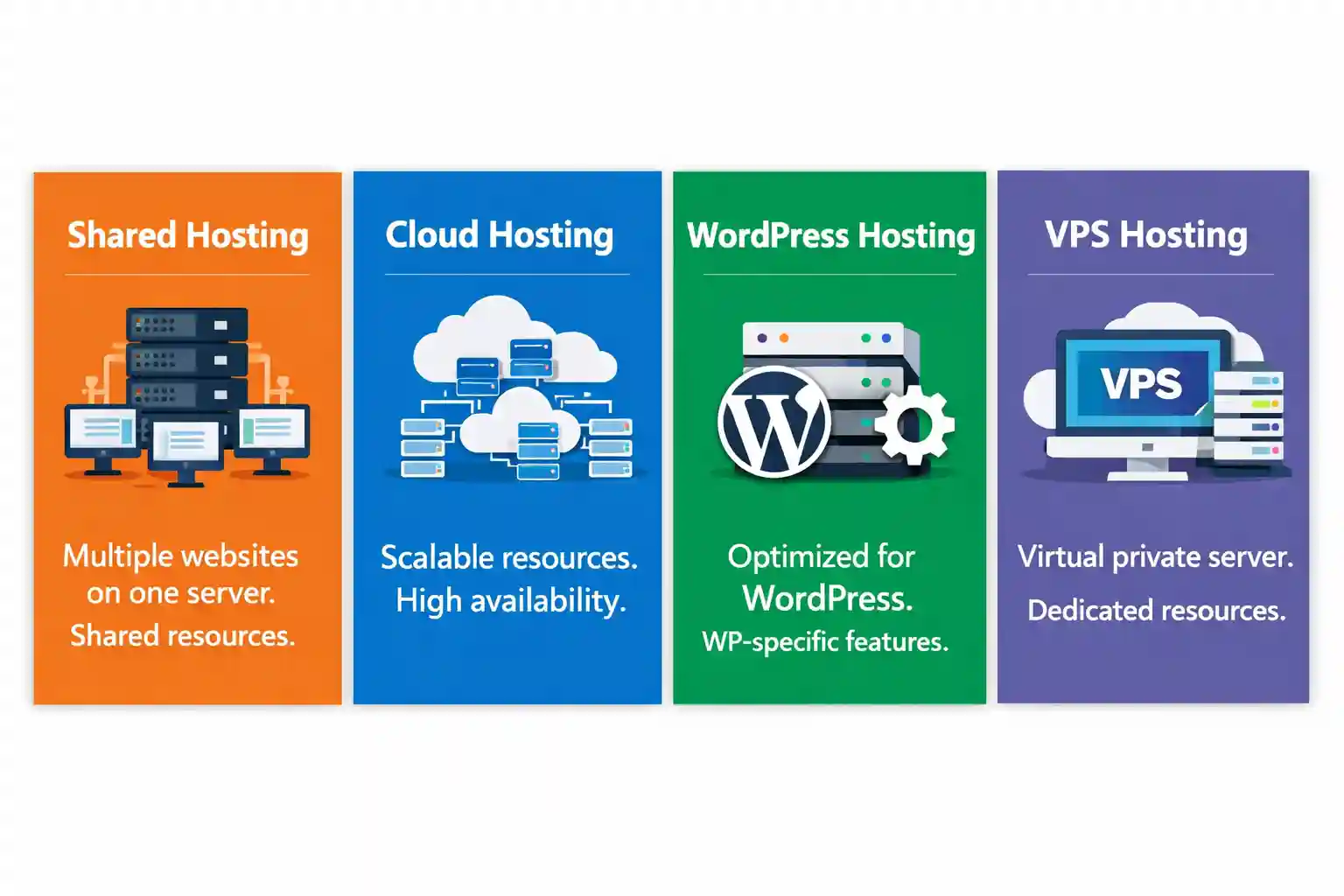
1. Shared Hosting – The Starter Pack
Best for: Personal blogs, portfolios, small business websites, landing pages
Shared hosting is like renting a small apartment in a large building. Everyone has their own room, but things like electricity and water are shared.
Shared hosting works the same way your website lives on a server that is shared with many other websites using a web server feature called vhosts, and everyone uses the same pool of resources such as CPU, memory, storage, and bandwidth.
Because the cost of the server is shared among many users, this is the most affordable hosting option available.
Why shared hosting is great?
- Low cost: Perfect if you’re on a tight budget or just starting online.
- Beginner-friendly: No server management or technical setup required.
- Easy control panels: Usually comes with cPanel or similar tools to manage emails, files, databases, and domains easily.
- Quick setup: Your website can be online within minutes.
What shared hosting is not ideal for?
- High-traffic websites
- Large e-commerce stores
- Resource-heavy applications or custom software
Since resources are shared, one busy website on the same server can sometimes affect performance. This is normal and expected at this level of hosting. Because of this, when choosing a shared hosting plan, it’s important to check how a provider allocates and manages resources. Not all shared hosting is the same. Good providers carefully control how much CPU, memory, and bandwidth each website can use to prevent one site from affecting others too much. For example, Provider.lk is known for structured resource allocation and active server monitoring, which helps maintain stable performance even on shared hosting plans. This means fair usage policies are enforced, and overly resource-heavy sites are limited before they impact others. For Linux Basic Hosting packages, we rely on Cgroups (control groups), a native Linux kernel feature, along with cpulimit to throttle CPU usage and PHP-FPM limits to control memory and the number of processes, which is a unique setup. While some local providers rely on CloudLinux, our years of experience have shown that it not only increases costs due to licensing, but also adds unnecessary features that bloat the server – ultimately reducing the resources available for your websites.
Performance & limitations (important to know)
- Limited CPU and RAM compared to VPS or cloud hosting
- Not recommended for sudden traffic spikes
- Less flexibility for advanced configurations
Tip:
Shared hosting is ideal when your website is new or low-traffic. Once your site grows and starts getting more visitors, upgrading to VPS or cloud hosting is usually smooth and hassle-free.
Most Sri Lankan hosting companies, including Provider.lk, now use fast NVMe SSD storage and modern infrastructure, so even affordable shared hosting can be surprisingly quick. It’s a perfect starting point if you don’t expect heavy traffic in the early stages.
2. Cloud Hosting – Scalable and Reliable
Best for: Businesses expecting growth, high-traffic websites, apps, e-commerce stores
Cloud hosting is like renting multiple apartments at once, all connected together. Your website isn’t stored on a single server, it’s hosted across multiple servers in the cloud. If one server slows down or fails, another takes over automatically.
This makes cloud hosting very reliable and scalable. It can handle sudden traffic spikes without crashing.
Why cloud hosting is great?
- Highly scalable: Easily increase resources as your website grows
- Reliable: Multiple servers mean less chance of downtime
- Fast and flexible: Handle more visitors and complex applications
- Advanced security: Many cloud hosts provide automatic backups and protection
What it’s not ideal for?
- Simple personal blogs or low-traffic sites (shared hosting is enough)
- Very small businesses that want the cheapest option
Provider.lk offer cloud hosting with scalable resources and strong uptime guarantees, and actively monitor servers making them a great option for businesses in Sri Lanka. Cloud Hosting from Provider.lk is truly unique and stands apart from the Business Hosting packages offered by other local providers. While some of those providers offer guaranteed resources, their infrastructure lacks the automated failover guarantees that come standard with Provider.lk’s Cloud Hosting. For Linux Cloud Hosting packages, we rely on Cgroups and namespace containers feature of the LiteSpeed Enterprise Web Server to provide guaranteed resources and consistently top-tier performance. For high availability and automatic failover, we use Ceph distributed storage and QEMU.
Performance & limitations (important to know)
- Usually more expensive than shared hosting
- May require some technical knowledge if unmanaged
- Over-provisioning can lead to higher costs
Tip:
Cloud hosting is ideal when you expect growth, traffic spikes, or complex website needs. You can start small and scale easily without migrating servers.
3. Managed WordPress Hosting – WordPress Made Easy
Best for: WordPress websites, blogs, online magazines, small business sites
WordPress Hosting is like living in an apartment that’s custom-designed for your lifestyle. Every feature, from the kitchen to the furniture, is optimized for your needs. Similarly, your server is specifically optimized for WordPress, with caching, updates, and security tuned to make your website run faster and smoother.
Managed WordPress hosting is specialized hosting optimized for WordPress. The provider takes care of technical tasks like updates, backups, and security, so you can focus on creating content.
Why managed WordPress hosting is great?
- Automatic updates: WordPress core, plugins, and themes are updated automatically
- Security & backups: Protection against hacks and automatic backups
- Optimized performance: Servers configured specifically for WordPress speed and reliability
- Beginner-friendly: No technical knowledge required
What it’s not ideal for?
- Non-WordPress websites
- Very simple sites that don’t need special optimization
Managed WordPress hosting works best with providers that actively monitor performance and security. For example, Provider.lk Managed WordPress Hosting includes automatic updates, caching, and backups, so even beginners can run a fast and secure WordPress website. Many local providers use their shared hosting servers for WordPress hosting too. Provider.lk’s Managed WordPress Hosting servers are dedicated exclusively to WordPress sites. We use WP-CLI and wp-toolkit to manage WordPress sites at scale, and we rely on Cgroups and namespace containers feature of the LiteSpeed Enterprise Web Server to provide guaranteed resources and consistently top-tier performance.
Tip:
Managed WordPress hosting is perfect if you want a hassle-free WordPress site with strong performance and security. It’s especially useful for bloggers, small businesses, or anyone who prefers not to manage technical aspects.
3. VPS Hosting – More Power, More Control
Best for: Growing businesses, e-commerce stores, resource-heavy websites, custom applications
VPS Hosting is like having your own private plot in a large shared land. You can build whatever you want on it, customize freely, like choosing your own tech stack, without being affected by what neighbors do. Your plot comes with dedicated CPU, RAM, and storage, giving you full control, stability, and consistent performance.
Because resources are reserved just for you, VPS is more powerful than shared hosting and can handle higher traffic and more complex websites.
Why VPS hosting is great?
- Dedicated resources: Better performance than shared hosting
- More control: You can configure software, install custom apps, and manage server settings
- Scalable: Upgrade CPU, RAM, or storage as your website grows
- Better security: Your data is isolated from other users
What it’s not ideal for?
- Simple personal blogs or portfolios (shared hosting is enough)
- Very low-traffic websites ( VPS is usually unnecessary and more expensive than shared hosting for low-traffic websites)
Since VPS gives you dedicated resources, performance is generally stable even if other VPS users are on the same physical server. However, it’s still important to choose a provider that monitors and manages servers well to prevent the noisy neighbor problem. Popular cloud hosting providers include AWS, Google Cloud (GCP), and DigitalOcean, which offer scalable and reliable setups trusted globally for handling high traffic, complex applications, and rapid growth. Local providers like Provider.lk also offer Cloud VPS packages with resource monitoring and flexible scaling, which ensures stable performance. Unlike all the other local providers who resell VPS from third parties, we use VirtFusion technology under the hood on our leased Singapore-based dedicated servers to manage our Cloud VPS packages, giving you greater control, reliability, and performance.
Performance & limitations (important to know)
- More expensive than shared hosting
- Requires some technical knowledge if unmanaged
- Over-provisioned resources can still cause performance issues if misconfigured
Tip
VPS hosting is perfect when your website outgrows shared hosting or you need more control and flexibility. With a VPS, you can run resource-heavy applications, custom software, or larger e-commerce stores without worrying about other websites affecting your site.
Final Advice
Choosing between local and foreign hosting comes down to audience, convenience, and support rather than just technical specifications. Local providers are easier and faster to work with if your focus is Sri Lanka, while international providers are ideal for global reach and advanced hosting features.
Choosing the right web hosting may seem overwhelming at first, but it doesn’t have to be. Start by thinking about:
- Your website type: Personal blog, portfolio, business, or e-commerce
- Traffic and growth: How many visitors do you expect now and in the future?
- Control and technical needs: Do you want to manage everything yourself or have it handled for you?
- Support and convenience: Local vs international providers
Here’s a quick takeaway:
- Shared Hosting: Affordable and easy, perfect for new or small websites
- Cloud Hosting: Highly scalable and reliable for businesses expecting growth or high traffic
- VPS Hosting: More power and control, ideal for growing sites
- Managed WordPress Hosting: Hassle-free WordPress optimization for blogs and content-driven sites
- Local vs Foreign Hosting: Choose a provider that suits your audience, support, and payment needs (we will cover this topic in a future article)
Remember, the “best hosting” is the one that fits your specific needs and goals. Starting with a plan that matches your current situation while leaving room to grow is usually the smartest approach.